Skip to content
GetClosedTesting

Google Play Tester Recruitment

Where testers come from, how to recruit at the volume you need, and how to keep them opted in and active for the whole testing window.

Why recruiting testers is harder than it looks

Two different problems wearing one name

Recruiting splits into filling a roster and keeping it filled. Filling is a supply problem: finding enough people with Android devices and a Google account who will install an app they have no particular reason to use.

Keeping it filled is a durability problem. Testers agree readily and follow through inconsistently, and the ones who drop out do so silently. Most recruitment effort goes into the first problem and most of the risk sits in the second.

Why people drop out

  • They had no real reason to install the app beyond doing someone a favour.
  • They opted in with a Google account they rarely use on that device.
  • They never received clear instructions, so the install never happened.
  • The app asked for something they were not comfortable granting and they stopped there.
  • Nothing reminded them the test was still running.

A recruitment workflow that holds

Practical sequence

  1. Decide the real number you need. Take the required tester count and add headroom, because some opt-ins will not happen.
  2. Pick two or three sources rather than one. A single source is a single point of failure.
  3. Collect Google account addresses, not just names, and confirm the address each tester will actually opt in with.
  4. Send instructions that state exactly which account to use, what to install and what to do if the opt-in link shows an error.
  5. Confirm opt-ins against the roster rather than trusting replies. The roster is the fact; the reply is an intention.
  6. Monitor activity through the window and act on silence early.

Instructions that reduce dropout

Most opt-in failures are avoidable with a short message that covers the four things testers get wrong.

  • Which Google account to be signed in with when opening the opt-in link.
  • That the invite link must be opened on the device, not on a desktop browser.
  • That the app is installed from Play, not from a file, so future updates arrive normally.
  • What the tester should do if the link reports that they are not a tester.

Managing participation after the recruit

Separate invitation from opt-in

Two states, two numbers. Collapsing them is the most common way a campaign looks healthier than it is.

Watch activity through the window

A tester who opted in and stopped opening the app is the failure mode nobody announces. Activity tracking is what surfaces it.

Decide your replacement rule in advance

Agree how many quiet days trigger a nudge and how many trigger a replacement, so the decision is not made under time pressure.

Hold spare testers

Recruiting a few extra people against dropout is cheaper than recruiting in a hurry at day ten.

What to send, and when

Four messages cover the whole campaign. Anything more is usually ignored.

Messages

  • Invitation: what the app is, why you are asking, and the exact Google account to use
  • Install instructions: which account, opt-in link on the device, install from Play
  • Mid-window check-in: a short reminder that the test is still running, with a way to report a problem
  • Close-out: thanks, what happened as a result, and whether the tester stays on the track for the next release

Questions worth tracking per tester

  • The Google account they were invited with
  • Whether they have opted in, and on what date
  • When they were last active
  • Whether they have reported anything
  • Whether they are opted out, and why

Recruitment is only useful if the roster stays true

The roster is what makes recruitment measurable: who was asked, who responded, and who is still there.

What is recorded per tester

  • The Google account they were invited with, recorded at the point of invitation
  • Whether they have opted in, and on which date
  • When they were last active, which is the only way a quiet dropout surfaces
  • Whether they reported anything, so effort and value can be compared later

Four fields per person is enough to answer every question that comes up mid-campaign: who is missing, who has gone quiet, and who is carrying the testing.

Where testers actually go

However testers are recruited, they end up in one place: the tester list on the closed testing track. Everything before that is sourcing.
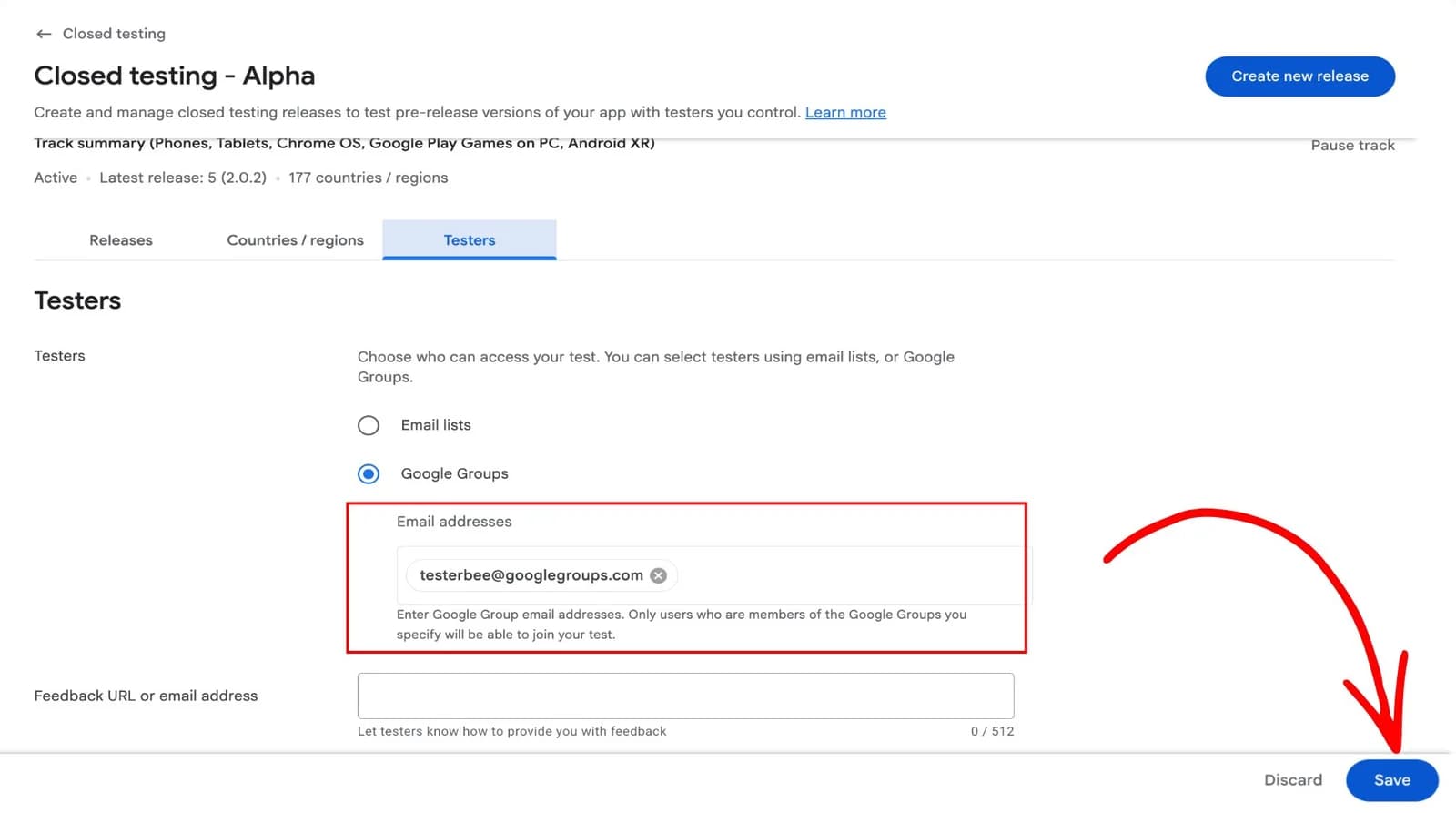
  1. Google Play Console field for entering closed tester email addresses
    1. Tester addresses go into the closed track email list. One address fills one slot, and only the address invited can opt in.

Questions about recruiting testers

Let Us Handle Tester Coordination

Send us the app and the number of testers you need. We will build the roster, chase the opt-ins and tell you early if any slots are not being claimed.