Skip to content
GetClosedTesting

Closed Testing Service for Google Play Apps

A managed closed testing service: we build and maintain the tester roster, monitor participation through the window, and hand you a campaign record you can rely on.

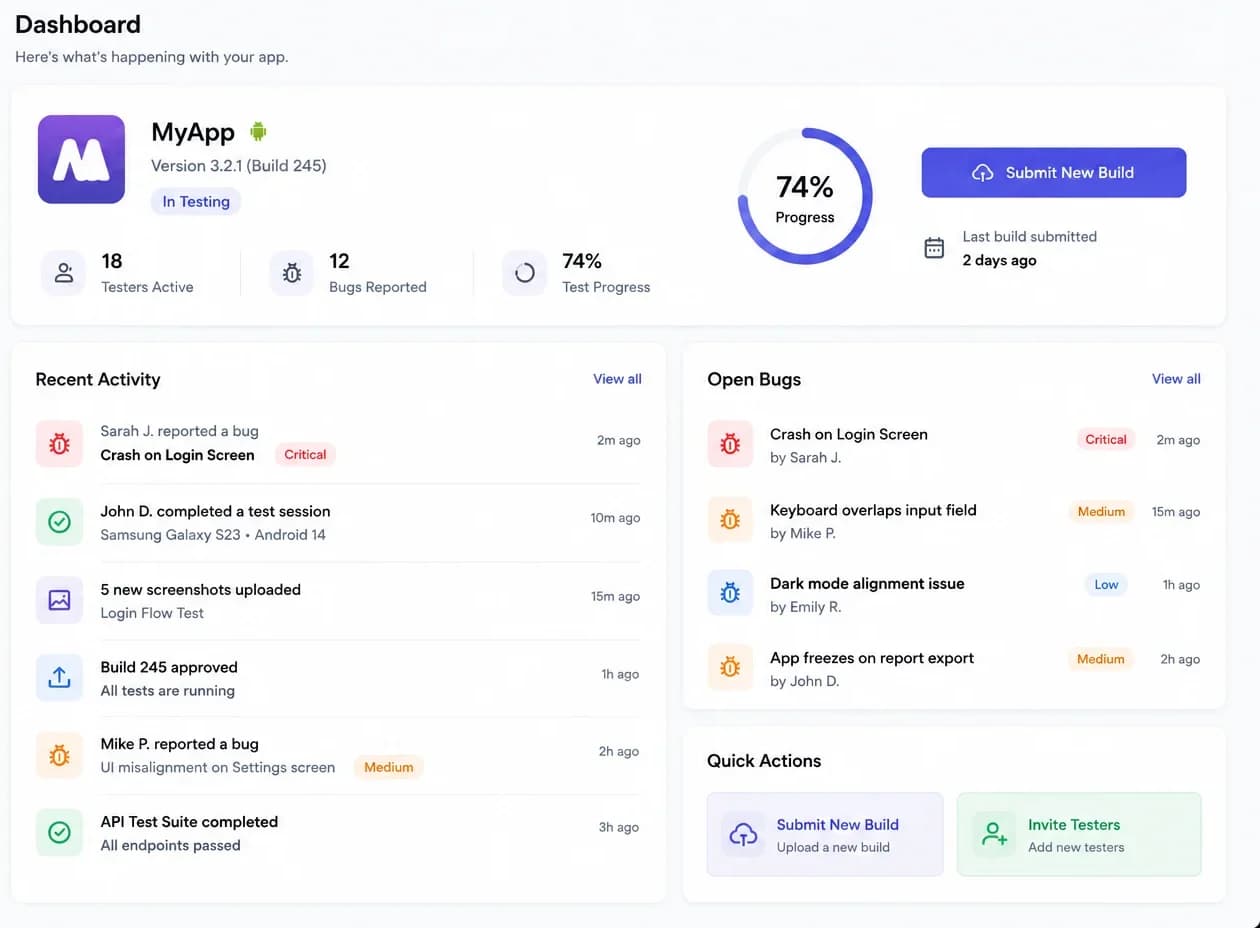
Campaign workspace showing the app under test, the agreed testing window and the tester roster summary
A campaign: the build under test, the window, and the roster state in one view. Sample data.

Stage 01 · Scope

Agree what is being tested, and until when

The engagement starts as a conversation about constraints rather than a form. Which app, which account type, which build and how long the window can run all change the rest of the plan.

  • The app and the build that will actually be tested
  • Your developer account type, since it decides which rules apply
  • A testing window with a real start date and end date
  • A tester number to plan for, with headroom built in
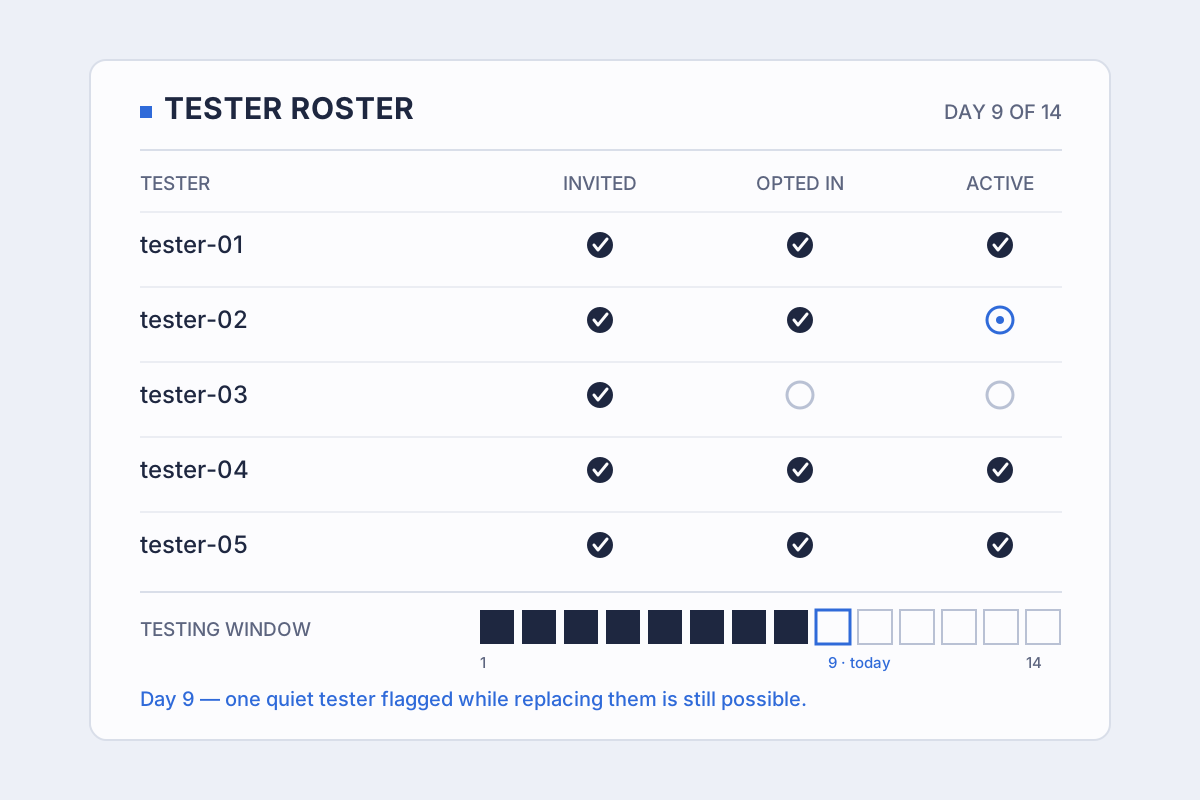
Diagram of a tester roster tracking invited, opted-in and active states per tester across a fourteen-day window
Testing is a record-keeping job as much as a technical one.

Stage 02 · Setup

Create the track and assemble the roster

You keep the Play Console. We build the campaign workspace around it and assemble the tester roster from the addresses you already have, flagging the gaps while there is still time to fill them.

  • A closed testing track configured for the agreed build
  • Every invited address recorded against the account it was invited with
  • Duplicate and unusable addresses caught before invitations go out
  • A shortfall identified as it appears, not at the end of the window
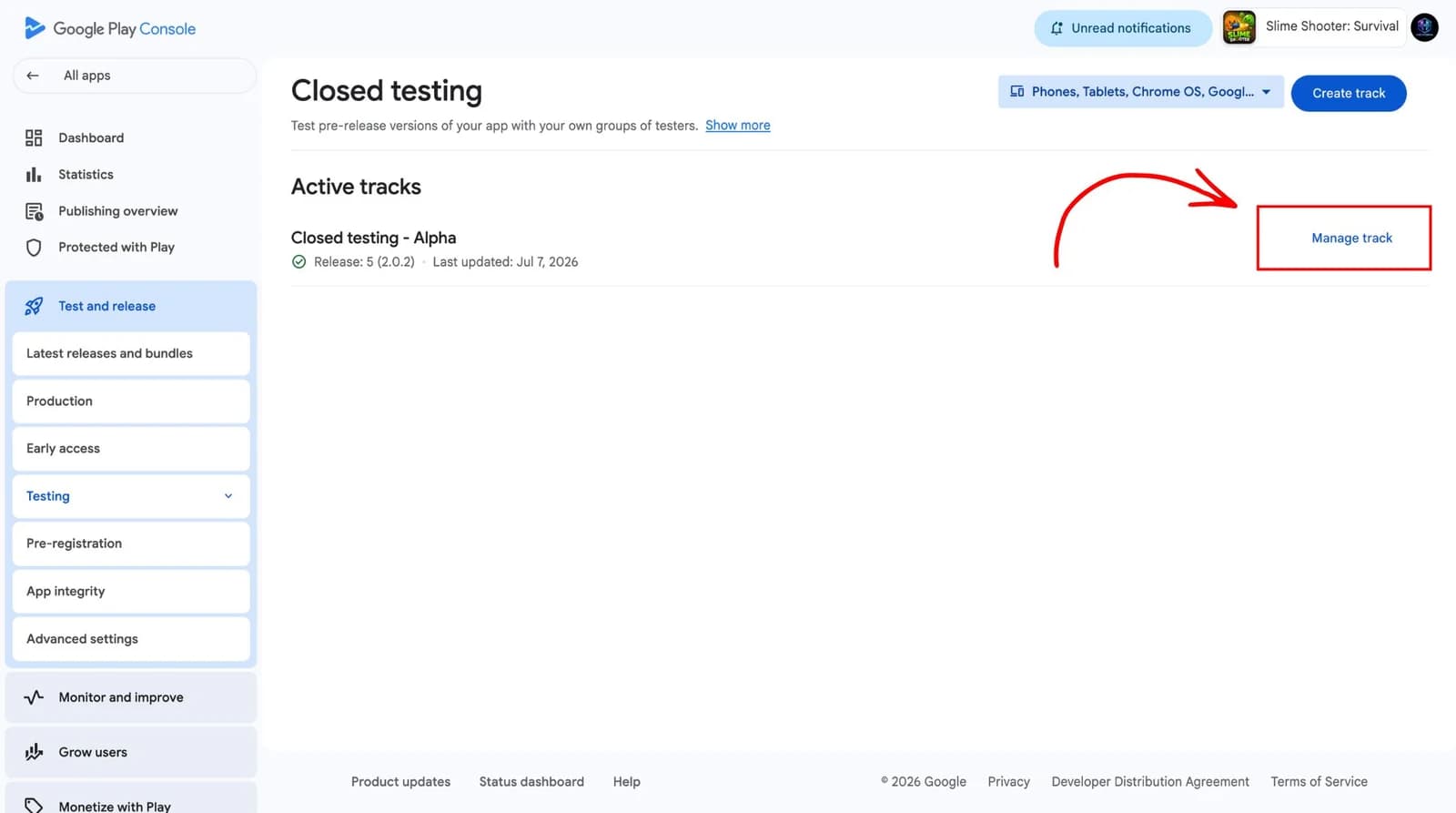
Google Play Console screen for configuring a closed testing track
Configuring a closed testing track: the testers, the countries and the release all belong to this track.
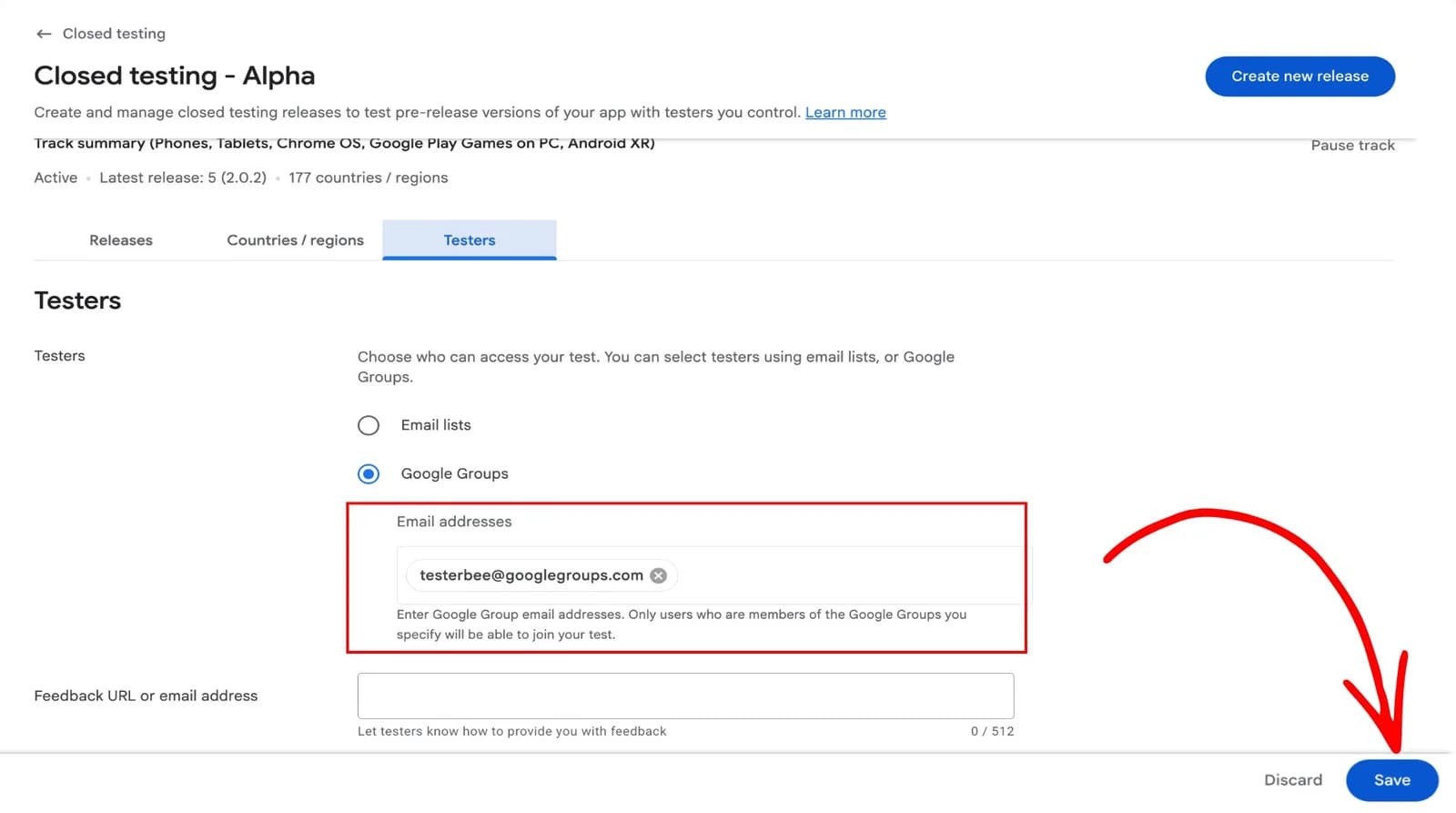
Google Play Console field for entering the email addresses of closed testers
Tester addresses go into the closed track email list. One address fills one slot, and only the address invited can opt in.

Stage 03 · The window

Watch participation while it still matters

An invitation is not an opt-in, and an opt-in is not activity. Both are tracked separately for the length of the window, so a tester going quiet is something you hear about while replacing them is still viable.

  • Opt-ins confirmed against the roster, not assumed from replies
  • Continuous activity monitoring, with quiet testers surfaced early
  • A record of any day the opted-in count fell short of the threshold
  • Replacement decisions taken against a rule agreed in advance
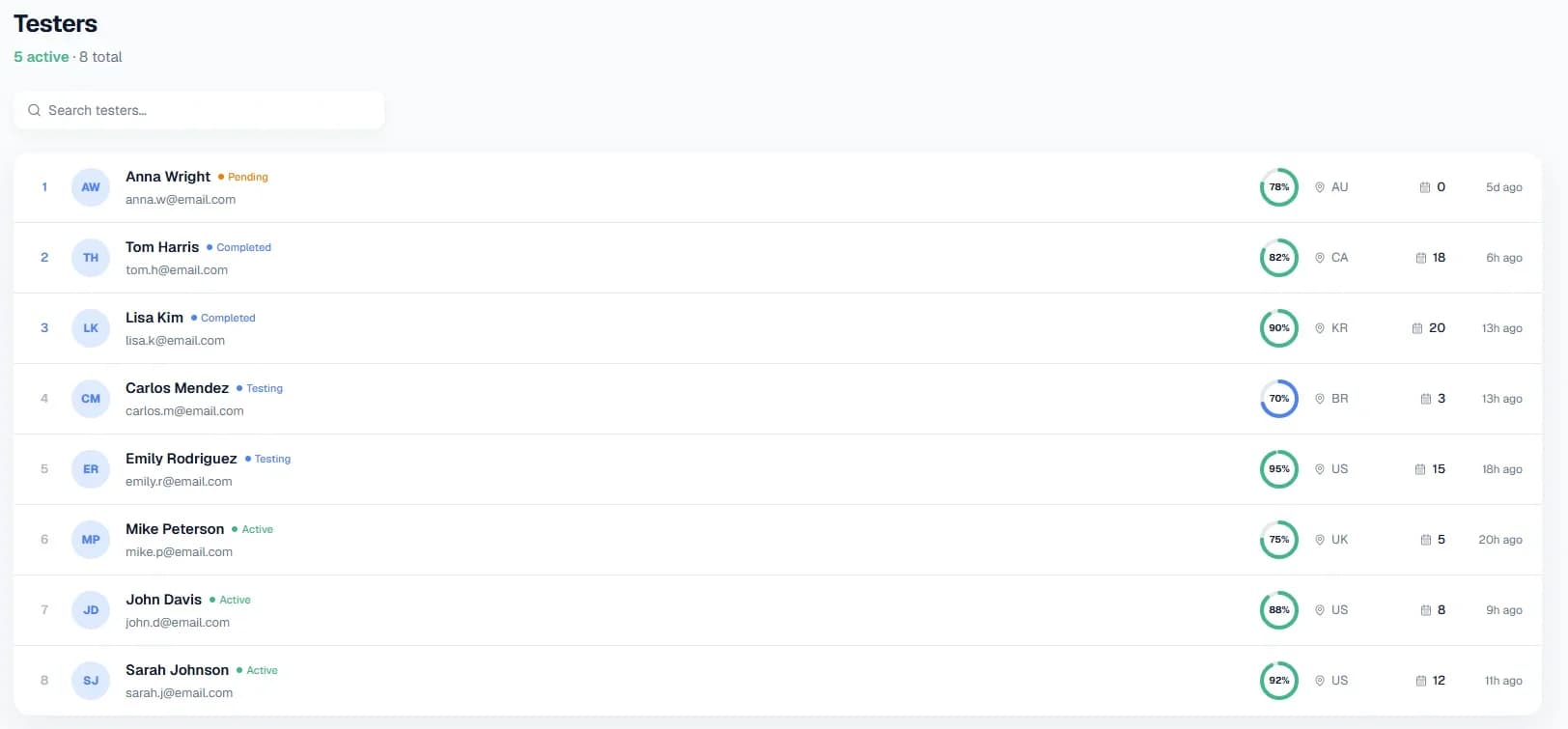
Tester roster listing each tester with their status, check-in progress, country and last activity
One row per tester: pending, testing, active and completed are counted as four separate states. Sample data.
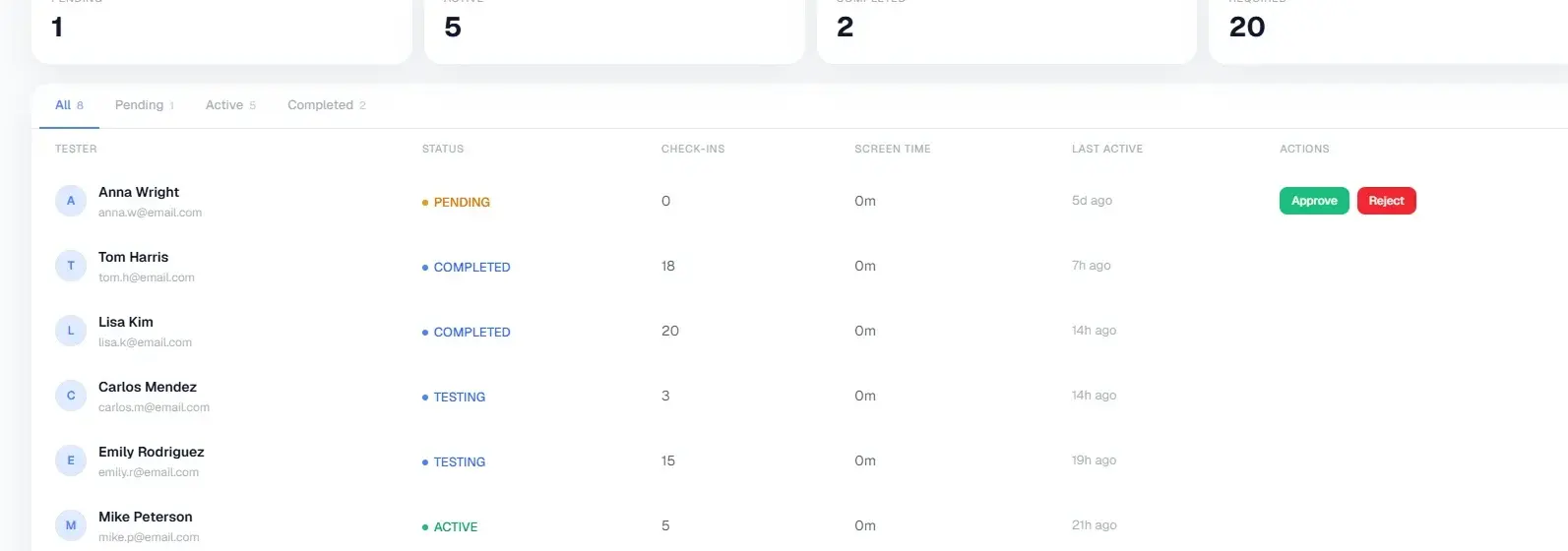
Campaign participation counters for pending, active, completed and required testers, above the tester list
Pending, active, completed and required, counted separately above the roster. Sample data.

Stage 04 · Close-out

Close the window with the record already written

The campaign summary accumulates as the window runs rather than being reconstructed afterwards. At close-out it answers the questions the console asks, with a date behind every figure.

  • The window with exact start and end dates
  • Testers opted in and testers invited, kept as two separate figures
  • The builds tested and the findings raised against each one
  • A record structured so you can answer the production access form accurately
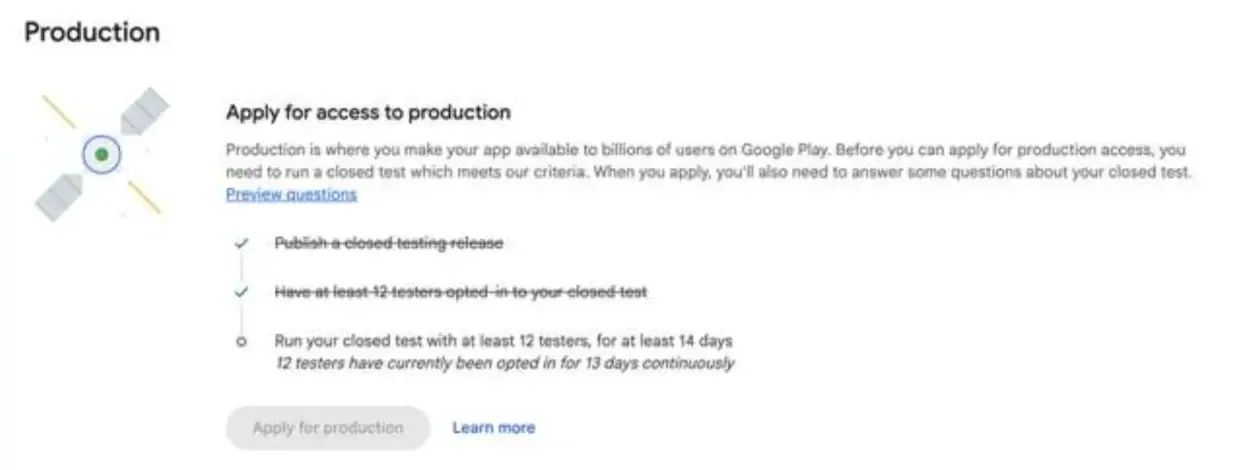
Play Console production access screen listing the closed testing criteria and the current tester and day counts
The console states the production access criteria against your own app: at least 12 testers opted in, for at least 14 days. Here it reports 12 testers opted in for 13 days continuously, so the apply button stays disabled.

What this is not

Worth stating plainly, because this category has a habit of implying more than it can deliver.

  • It is not a purchase of testers. Paid or unpaid, every tester opts in with their own Google account and uses the app on their own device.
  • It is not a guarantee of production access. Google reviews the application and decides.
  • It is not a QA service. We organise the testing and record the findings; fixing the app stays with your team.
  • It is not a substitute for your release judgement. Which build goes out, and when, remains your call.

What we need from you

The shorter this list takes to gather, the sooner the window can start.

Before setup

  • The app's Play Store listing or package name
  • Your developer account type: personal or organisation
  • The build you intend to test, and its minimum Android version
  • The testing window you are working towards

For the roster

  • Google account addresses for the testers you already have
  • Any existing tester spreadsheet, in whatever state it is in
  • A named person on your side who can approve tester changes

Questions about the service

Run Your Next Campaign With Us

Choose your tester count, register and create the app. The workspace sets up the roster and the testing window from there, and pricing is published up front rather than quoted.

Every plan includes the same monitoring and support. Tester count is the only variable.