Google Play Production Access
What production access means, how closed testing relates to it, and how to prepare an application the review can actually verify.
What production access means
The ability to release to everyone
Production access is what lets you publish a release to the general public on Google Play rather than keeping it limited to a testing track. For some developer accounts it is granted only after Google reviews an application; for others it is available without that step.
It is worth separating two things that get talked about together. Being technically able to release is one thing. Being ready to release is another, and the review is interested in both.
How closed testing relates to production access
Testing is a prerequisite for some accounts
For developer accounts subject to the rule, the closed testing prerequisite is a condition of applying: a minimum number of testers who remain opted in for a continuous period. The figure most commonly cited is 12 testers for 14 continuous days.
Because Google sets and revises this policy, confirm the current requirement for your account type before planning a window. The Play Console Help centre is the authoritative source.
Why Google asks for testing at all
The requirement exists to filter out apps that have never run outside a developer's own device. A closed test demonstrates that the app has been installed and used by other people, on other hardware, for a sustained period.
That framing is useful when preparing an application, because it tells you what the record needs to show: real testers, real installs, a real window, and enough continuity to be credible.
Preparing the application
Nothing here is complicated. All of it is easier if the campaign recorded it as it happened.
Testing evidence
- The exact start and end dates of the testing window
- The number of testers actually opted in, not the number invited
- The number of days the tester count stayed at or above the threshold
- Any interruptions, and what caused them
- Which builds were tested and when
App readiness
- A build that behaves on devices other than your own
- A store listing whose description matches what the app does
- Policy compliance for the content, permissions and data the app handles
- Screenshots and metadata that reflect the current version
Describing participation and feedback accurately
Participation you can stand behind
The temptation is to describe the campaign at its best moment: the day the full roster had opted in. The safer approach is to describe the period as it actually ran, including the days when it dipped.
- State opted-in testers, and keep invitations out of the number.
- Describe the window continuously, including whether the count ever fell below the threshold.
- If testers were replaced, say so and give the dates.
- Use the same figures as your campaign record, so the description and the evidence agree.
Preparing testing feedback
Feedback is what turns 'we tested' into 'here is what testing found'. It does not need to be extensive; it needs to be genuine and attributable.
- Group findings by the build they were raised against, so it is clear what was fixed when.
- Note the device and Android version where the finding occurred.
- Record what changed as a result, including findings you decided not to act on and why.
- Keep the raw record. A summary nobody can trace back is weaker evidence than a list with dates attached.
What the campaign summary holds
The record you keep afterwards. It is written during the window, not assembled the week you apply.
Contents of the summary
- The testing window, with exact start and end dates
- Testers opted in, and how many were invited, kept as separate figures
- The number of continuous days the count stayed at or above the threshold
- Any interruption, its date, and what caused it
- The builds tested, and the findings raised against each one
If a figure in your application would not be traceable to a date in this summary, that is a sign the campaign was not recorded closely enough while it was running.
What the outcome looks like
Production access is granted by Google, in your account. This is the console state developers are waiting for.
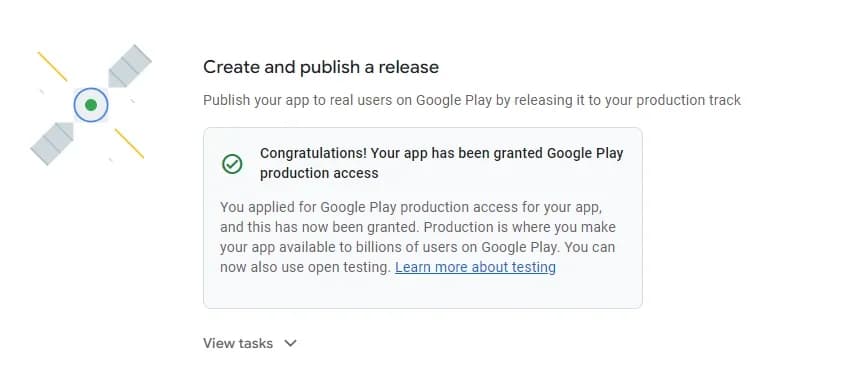
1. The console confirming that production access has been granted. Getting here is a Google decision, not something a service can guarantee.
Questions about production access
Prepare Your Testing Evidence
Run the campaign with us and the record needed for your application accumulates as the window runs, rather than being reconstructed the week you apply.
Policy content reviewed 2026-09-27. Always confirm current requirements with Google.